WhatsApp Full DP Maker: Resize & Enhance to Full Size DP Without Cropping

WhatsApp Full DP Image Tool is a 100% free online editor that lets you quickly crop, resize, and enhance any photo into the perfect full-size WhatsApp profile picture (DP) — no quality loss, no forced cropping of your original image. Just upload, adjust, and download in HD!
How to Use WhatsCrop (Only 4 Easy Steps)
1
Upload Your Photo
JPG or PNG • up to 15MB • Drag & drop supported
2
Choose an Option
- Blur Background – soft blurry backdrop (best for portraits)
- Color Background – fill space with any color
- Auto Resize – perfect fit without quality loss
- Manual Crop (1:1) – crop exactly your way
3
Instant Preview & Download
Zoom, move, adjust blur or color and preview in WhatsApp DP circle
Want your perfect DP now? Upload photo — free & super quick!
Why Make a Full-Size WhatsApp DP?
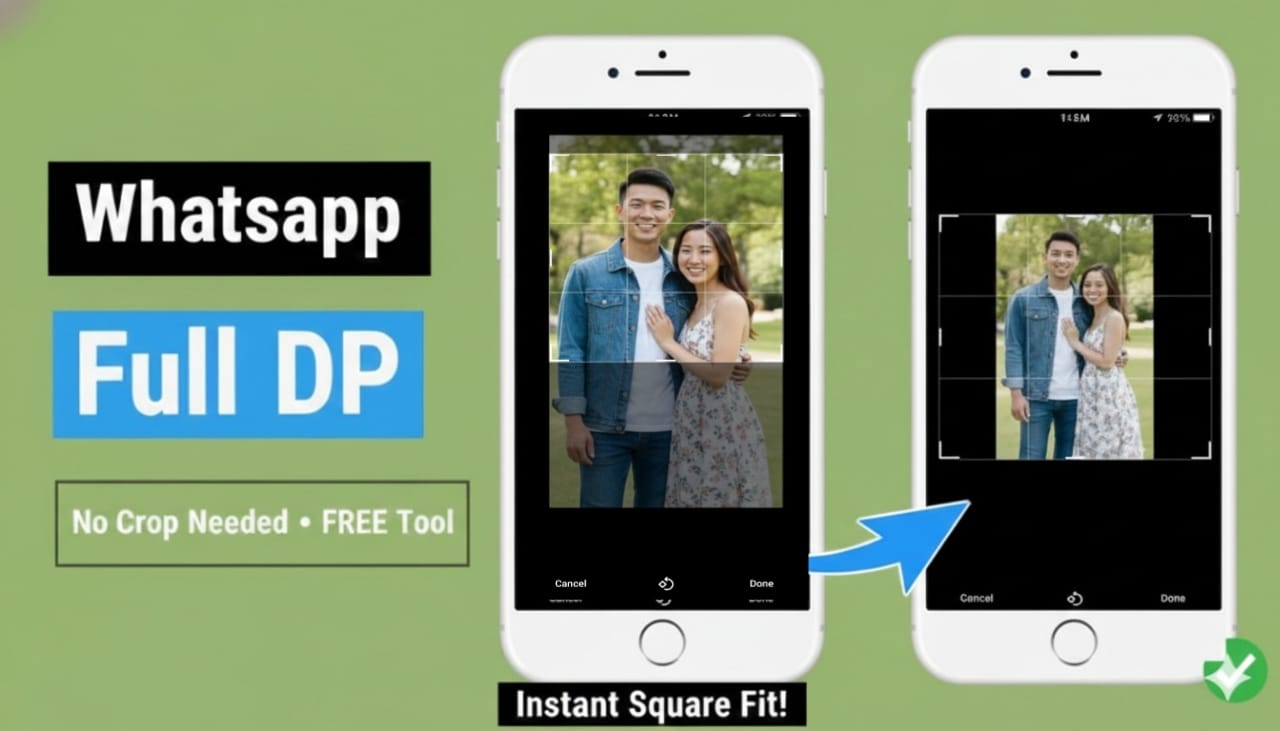
A full-size WhatsApp DP shows your whole photo nicely in the round frame — nothing important gets cut off.
- Looks perfect on Instagram, Facebook, Twitter, LinkedIn & more
- No annoying auto-crop — keep faces, background, everything
- Stays super sharp & HD on every phone
- Centered + balanced look (blur or color makes it beautiful)
- Good for profile pics, YouTube, CV photos, album covers, prints
- Makes you look professional or cool to friends & family
Ready to show your best photo? Upload now — it's free and takes seconds!
Why WhatsCrop is Awesome
- Full photo stays safe — no important parts cut off
- Super sharp HD — looks clear on every phone
- JPG + PNG — up to 15MB photos
- Easy upload — drag or click
- Works everywhere — phone, tablet, computer
- Totally free — no signup
- Do many at once — great for groups or events
Make one DP or many — super fast!
Get your perfect WhatsApp profile picture today!

 English
 Portuguish
 Turkish
  German
Comments
Ask a question or tell us how this tool worked for you
डीपी नहीं लग रहा है